Safeguarding Your Household from Ransomware and Cyber Threats: Essential Security Practices
Information Security

Safeguarding Your Household from Ransomware and Cyber Threats: Essential Security Practices

Introduction:

  In today's digital age, individuals and households are increasingly at risk of falling victim to cyber threats, including ransomware attacks. Protecting your household's sensitive data, personal information, and devices from such threats is of paramount importance. This article aims to provide practical guidance and actionable steps for individuals to safeguard their households from ransomware and other cyber threats, ensuring a secure and resilient digital environment.    

1. Strengthening Device Security:

Ensuring the security of your devices is a crucial step in protecting your household from cyber threats. Implement the following practices:   a) Install Reliable Antivirus Software: Deploy reputable antivirus software on all devices, including computers, laptops, smartphones, and tablets. Keep the software up to date to protect against the latest malware and ransomware variants.   b) Regularly Update Software: Keep your operating systems and applications up to date with the latest security patches and updates. Enable automatic updates whenever possible or regularly check for updates manually.   c) Use Strong and Unique Passwords: Create strong, unique passwords for all online accounts and devices. Avoid using easily guessable information and consider utilizing a password manager to securely store and manage your passwords.   d) Enable Two-Factor Authentication (2FA): Enable 2FA whenever available, as it provides an additional layer of security by requiring an extra verification step to access your accounts.   e) Be Cautious of Downloads and Email Attachments: Exercise caution when downloading files or opening email attachments. Only download files from trusted sources, and be wary of suspicious emails or attachments, as they could contain malware.   f) Regularly Back Up Data: Implement a regular backup routine to protect your important files and data. Store backups on external devices or cloud-based services. Ensure backups are isolated from the network to prevent ransomware from infecting them.    

2. Educating Household Members:

Raising awareness and educating household members about cyber threats is vital. Implement the following measures:   a) Teach Online Safety Practices: Educate household members about safe online practices, such as avoiding clicking on suspicious links, not sharing personal information online, and being cautious of social engineering tactics.   b) Recognizing Phishing Attempts: Teach household members to identify phishing emails and messages that may contain malicious links or attachments. Encourage them to scrutinize email senders, check for grammatical errors, and avoid clicking on suspicious links.   c) Limit Information Sharing: Emphasize the importance of limiting the sharing of personal information on social media platforms and other online channels. Teach household members to adjust privacy settings and exercise caution when disclosing personal details.   d) Social Media Awareness: Educate household members about the risks associated with social media, such as oversharing personal information, accepting friend requests from unknown individuals, and falling victim to social engineering scams.    

3. Securing Home Network:

Protecting your home network is crucial for preventing unauthorized access and ensuring a secure online environment. Consider the following practices:   a) Secure Wi-Fi Network: Change the default username and password of your Wi-Fi router to a strong and unique combination. Use WPA2 or WPA3 encryption for a secure wireless connection.   b) Enable Network Firewall: Activate the built-in firewall on your router to block unauthorized access to your network and devices.   c) Create Guest Network: Set up a separate guest network for visitors to ensure that their devices are isolated from your primary network.   d) Regularly Update Router Firmware: Keep your router's firmware up to date with the latest security patches by checking the manufacturer's website or using automatic update features if available.   e) Disable Remote Management: Disable remote management features on your router to prevent unauthorized access from outside your household.    

4. Practicing Safe Online Behavior:

Adopting safe online behavior is essential for protecting your household from cyber threats. Follow these guidelines:   a) Exercise Caution with Email and Links: Be wary of unsolicited emails, especially those requesting personal information or urging immediate action. Avoid clicking on suspicious links or downloading attachments from unknown sources.   b) Shop on Secure Websites: When making online purchases, ensure you are on secure websites that encrypt data transmission. Look for "https://" and a padlock symbol in the browser address bar.   c) Stay Up to Date with Scams and Threats: Stay informed about the latest scams, phishing techniques, and ransomware threats. Regularly read cybersecurity news and updates to stay ahead of emerging risks.   d) Use a Virtual Private Network (VPN): Consider using a VPN when accessing the internet, especially when using public Wi-Fi networks. A VPN encrypts your internet connection and enhances privacy.   e) Be Cautious of Social Media and Sharing: Exercise discretion when sharing personal information on social media platforms. Limit the amount of personal information available publicly and review privacy settings regularly.    

5. Regular Monitoring and Maintenance:

Consistently monitoring and maintaining your digital environment is crucial for early detection and response to potential threats. Implement the following practices:   a) Monitor Financial Accounts: Regularly review bank and credit card statements for any suspicious transactions. Report any unauthorized activity to your financial institution immediately.   b) Enable Account Notifications: Enable notifications and alerts for your online accounts to receive immediate alerts about any suspicious activity.   c) Monitor Children's Online Activities: If there are children in the household, monitor their online activities, educate them about online risks, and use parental control tools to limit access to inappropriate content.   d) Update Privacy Settings: Periodically review and update privacy settings on social media platforms and other online accounts to ensure they align with your desired level of privacy.   e) Conduct Regular Security Scans: Use reputable security software to scan your devices for malware and perform regular system checks.    

Conclusion:

Protecting your household from ransomware and other cyber threats requires a proactive and vigilant approach. By implementing the practices outlined in this article, such as strengthening device security, educating household members, securing the home network, practicing safe online behavior, and conducting regular monitoring and maintenance, you can significantly reduce the risk of falling victim to cyber threats. Remember, cybersecurity is an ongoing effort, and staying informed about evolving threats is essential for maintaining a secure and resilient digital environment for your household.    
Read More
Debunking the Top 10 Misconceptions in Cybersecurity
Information Security

Debunking the Top 10 Misconceptions in Cybersecurity

Introduction:

In our increasingly interconnected world, cybersecurity has become a critical concern for individuals, businesses, and governments. However, numerous misconceptions surround the field of cybersecurity, which can lead to ineffective practices and increased vulnerability to cyber threats. In this article, we will debunk the top 10 misconceptions in cybersecurity, shedding light on the realities and providing guidance for better security practices. By dispelling these myths, we hope to promote a more accurate understanding of cybersecurity and help individuals and organizations strengthen their defenses.        

Misconception: Cybersecurity is Solely an IT Department Responsibility

One of the most common misconceptions is that cybersecurity is solely the responsibility of the IT department. In reality, cybersecurity is a collective effort that requires participation from all individuals within an organization. Employees at all levels should be educated about security best practices, be vigilant against potential threats, and adhere to established security protocols.  

Misconception: Cyberattacks Only Happen to Large Organizations

While high-profile cyberattacks against large organizations often make headlines, small and medium-sized businesses are also vulnerable targets. Cybercriminals often target smaller organizations with limited security measures, making them easier prey. Every organization, regardless of size, should prioritize cybersecurity to protect sensitive data and prevent breaches.  

Misconception: Anti-virus Software Provides Comprehensive Protection

Anti-virus software is an essential component of a robust security strategy, but it is not a panacea. Many believe that having anti-virus software installed is sufficient to protect against all cyber threats. However, cybercriminals continually evolve their tactics, and new threats may bypass traditional anti-virus defenses. A multi-layered security approach, including regular updates, patch management, and employee awareness, is crucial.  

Misconception: Strong Passwords Guarantee Security

While using strong and unique passwords is important, it is not enough to ensure complete security. Many people believe that using complex passwords guarantees protection. However, passwords can still be compromised through methods such as phishing attacks, keyloggers, or data breaches. Implementing multi-factor authentication and regularly updating passwords is crucial to enhance security.  

Misconception: Macs are Immune to Malware and Cyberattacks

There is a common belief that Mac computers are immune to malware and cyberattacks, unlike their Windows counterparts. While it is true that Macs have historically faced fewer attacks, their popularity has grown, making them increasingly attractive targets for cybercriminals. Mac users must remain vigilant, keep their systems updated, and use security software to mitigate risks.  

Misconception: Public Wi-Fi Networks are Secure

Using public Wi-Fi networks is convenient, but they are often insecure and prone to attacks. Many people mistakenly believe that connecting to public Wi-Fi is safe, assuming that encryption protects their data. However, attackers can intercept sensitive information transmitted over public networks. Using a virtual private network (VPN) and avoiding sensitive activities on public Wi-Fi networks are crucial for maintaining security.  

Misconception: Cybersecurity is Only About Technology

Cybersecurity is not solely a technological issue; it also involves human behavior and processes. Many organizations focus solely on implementing security technologies without addressing employee awareness, training, and incident response plans. Effective cybersecurity requires a holistic approach that combines technology, processes, and a security-conscious culture.  

Misconception: Cybersecurity is a One-Time Investment

Some organizations believe that investing in cybersecurity solutions once is sufficient to protect their systems indefinitely. However, cybersecurity is an ongoing process that requires regular updates, patch management, and monitoring. Threats and vulnerabilities evolve, and security measures must be regularly reviewed and updated to adapt to changing circumstances. While compliance with industry regulations and standards is essential, it does not guarantee comprehensive security. Compliance focuses on meeting specific requirements, whereas cybersecurity encompasses a broader and proactive approach. Organizations should go beyond compliance and adopt best practices, conduct risk assessments, and implement security measures appropriate to their specific needs.  

Misconception: Cybersecurity is an Expense, Not an Investment

Many organizations view cybersecurity as an expense rather than an investment. This mindset leads to insufficient budget allocations and inadequate security measures. However, the cost of a cyber incident, including data breaches, reputation damage, and legal consequences, far outweighs the investment required for robust cybersecurity measures. Organizations should consider cybersecurity as a crucial investment in protecting their assets and ensuring business continuity.


Conclusion:

By debunking these top 10 misconceptions in cybersecurity, we have highlighted the importance of adopting a proactive and holistic approach to security. Cybersecurity is not solely the responsibility of the IT department, nor is it limited to technology alone. It requires collective effort, employee awareness, and a comprehensive strategy that addresses human behavior, processes, and technology. By dispelling these misconceptions, individuals and organizations can take proactive steps to strengthen their security posture and mitigate the evolving cyber threats of today's digital landscape.

Read More
Commitment on Bitdefender Support
Information Security

Commitment on Bitdefender Support

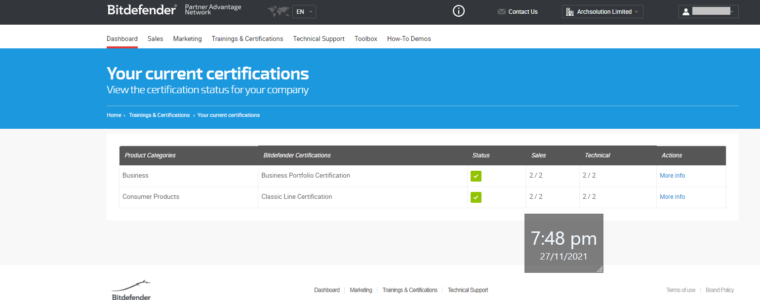
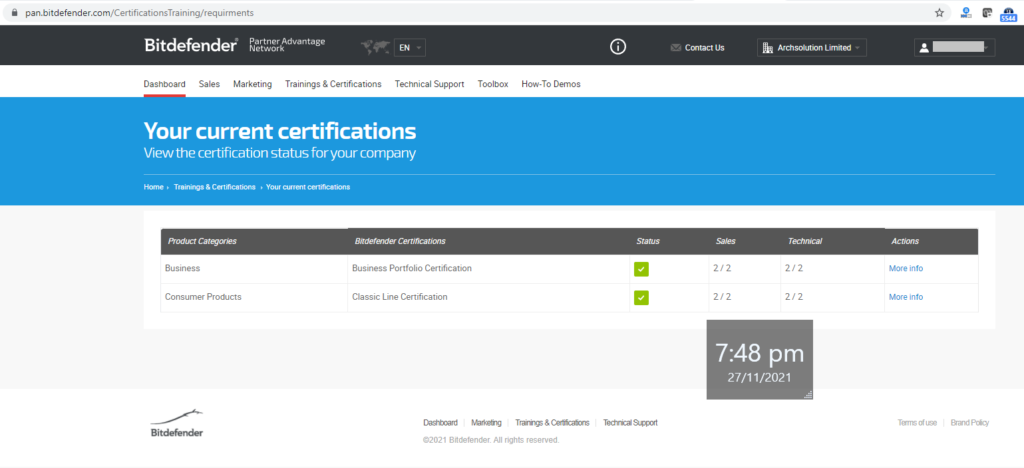
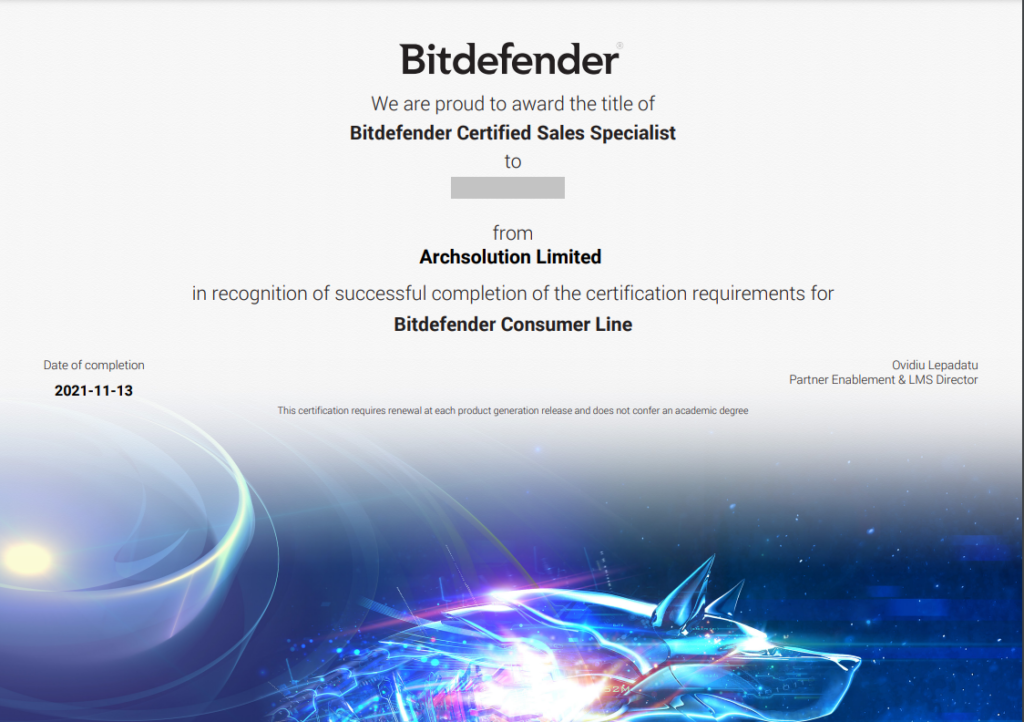
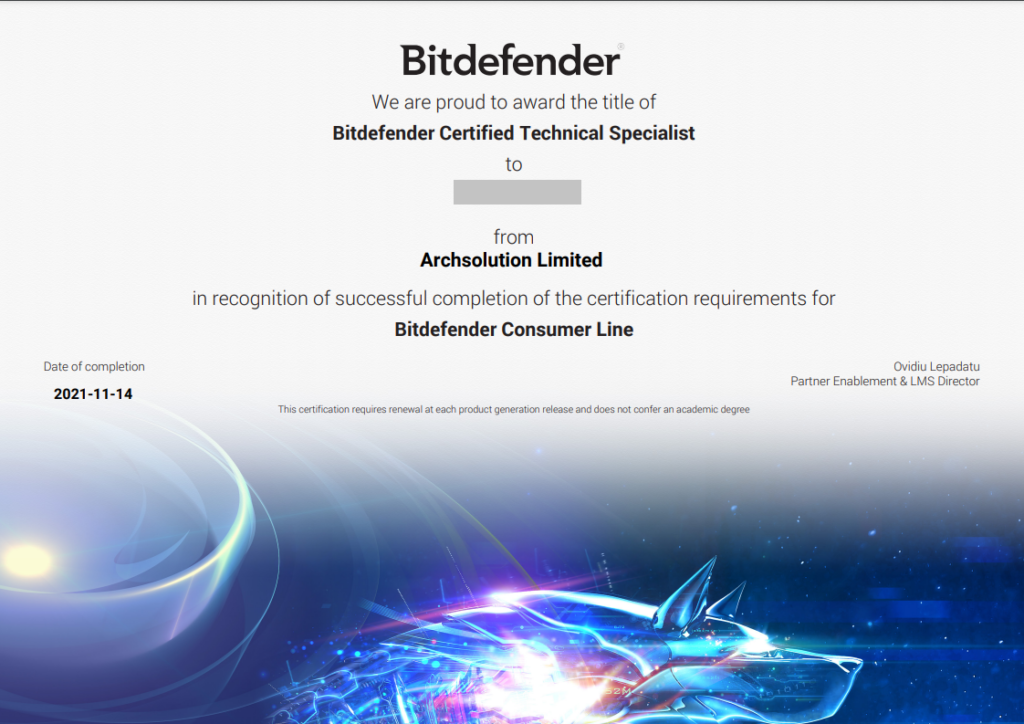
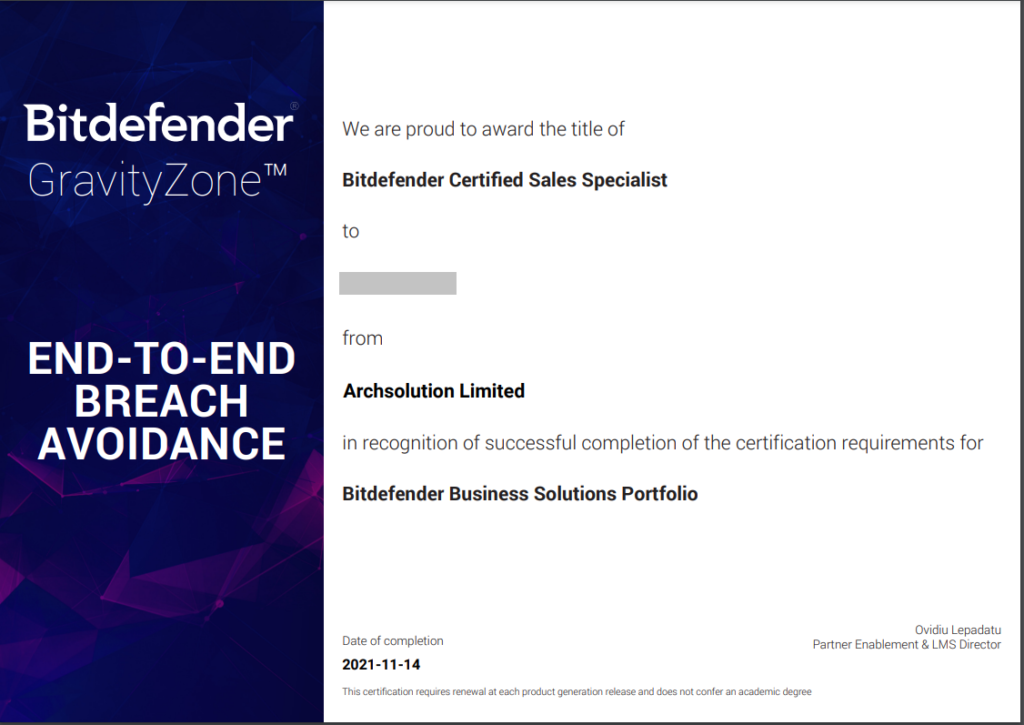
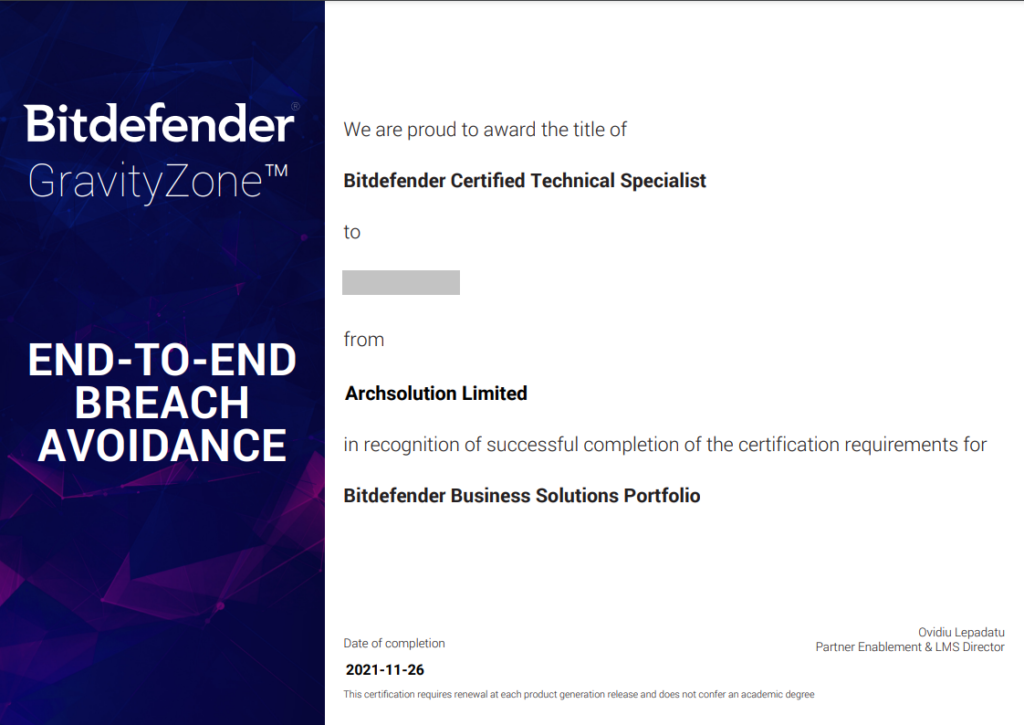
As Archsolution is focused on providing best service quality, our team is always learning new skills and getting more experienced with the investment in people and technology    . In November 2021, our team have renewed all required technical and sales certificates in Bitdefender for the coming year.  We are qualified to provide local first tier support with certified engineers and sales specialists.  We are commited our skills and knowledge updated with different vendors. For Bitdefender, our commitment is already started since 2013.  Please see our achievements.
  1. Certificate Requirements
Bitdefender - Our Archievement
  1. Specimen of Certificates Archieved
Bitdefender Consumer Product Sales Certificate Bitdefender Consumer Product Technical Certificate Bitdefender Business Product Sales Certificates Bitdefender Business Product Technical Certificate (Remarks: The sample above is just part of our achievement.)

Read More
Professional Service Arrangement (30 Jan 2020)
Data Protection

Professional Service Arrangement (30 Jan 2020)

Due to the new corona virus impact and epidemic spread, we may provide remote support to our clients via: 1. Zoom 2. WebEx 3. Microsoft Team 4. Slack Please contact us via email and phone for any arrangement and / or update. Thanks. Regards, Archsolution Limited
Read More
Open Source Firewall Real Examples
Information Security

Open Source Firewall Real Examples

There are many people arguing that it is only possible to go for Enterprise firewall.  However, there are non-profit making organization or small businesses not able to afford top-end products like Checkpoint, WatchGuard, etc. Most of the open source firewall operating systems are developed for more than 1 decade and using by millions of individual and organization.  Our professional service team is delivering both Open Source and Enterprise firewall or UTM gateway solutions. In this article, we would like to share some of the real applications of Open Source firewall with happy users for at least 3 years. First of all, we would like to introduce a case for a primary school with around 100 devices connecting to the network and the internet.  This catholic school is not able to afford an Enterprise class UTM gateway and consequent annual maintenance fee.  They are using the IPCOP as a static firewall with additional add-ins to protect their web, email and even student database server.  Their solution was deployed in 2014 and there is no single case of failure by virus, malware and ransomware.  (Remarks: they are using an Enterprise Anti-virus endpoint in education discount together with the IPCOP firewall) Another case is the computer lab owned by a Data Science consulting company – Smart Data Institute Limited located in Hong Kong.  They are using 2 nodes installed OPNSense as a cluster in front of their own private cloud and their workstations in the lab.  However, Sensei is a plugin for firewalls which complement them with features like Application Filtering, Advanced Network Visibility and Cloud Application Control.  (Note: their production network is using another Enterprise firewall – contact us for details) Apart from IPCop and OPNsense, there are still many different open source firewall solutions available in the market.  pfSense and OPNsense are those options able to meet Enterprise class demand.  IPfire is the one easiest to use and maintain, which is fit for SOHO and small organization without dedicated internal IT resources. However, there is no perfect security solutions to protect everything.  In order to maintain better Information Security, it is important to apply corresponding security policies, such as Computer Security Policy, Data Retention Policy, etc.  It is important to review the related policies and the latest technologies in order to balance the productivity and security. Should you have any question, you can contact us to arrange a free consultation session for seeking the tailored solution for your organization.
Read More
Information Security

Protect Your Children with Security Suite

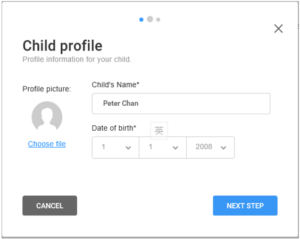
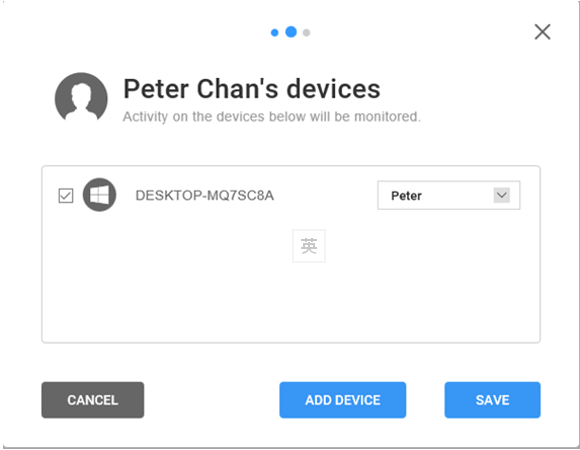
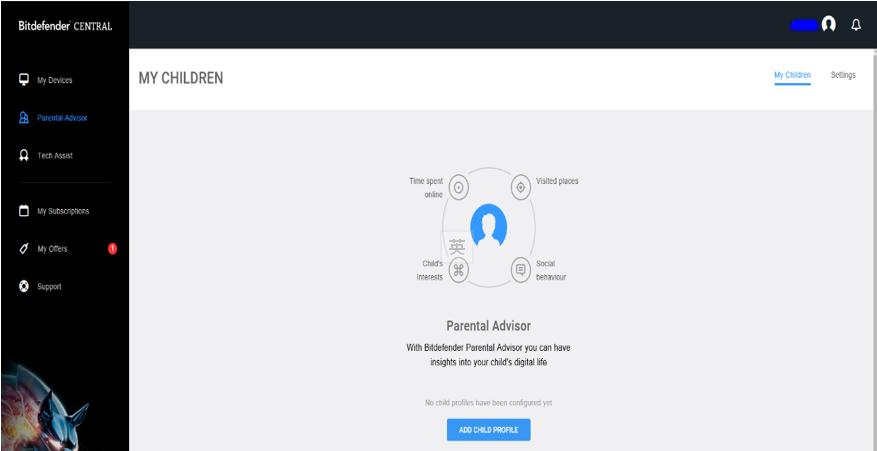
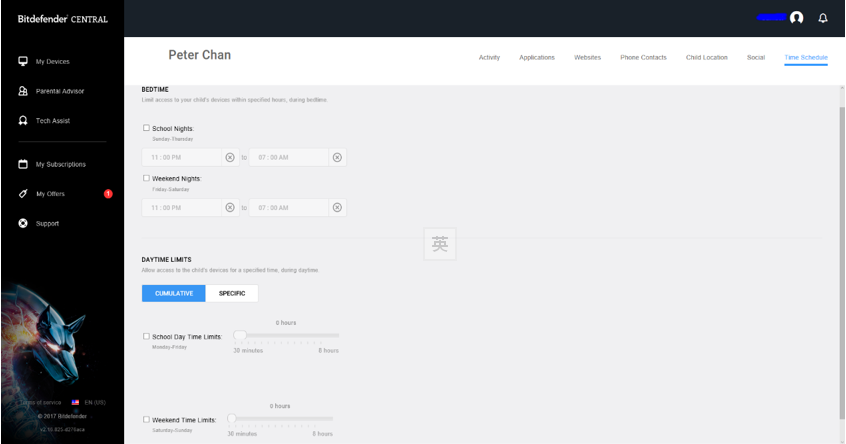
You can find anything in the internet including violence, sex and drugs information.  It is highly recommended parents should protect their own children with the help of Security Suite – such as Bitdefender Total Security.  For taking Bitdefender as an example, it is because the Bitdefender brand with OEM products are protecting over 500 million devices worldwide. In this example, we try to demonstrate the functions of a security suite with Child protection.  You should find similar functions and features in many different brands like Kaspersky, McAfee, Symantec, etc. First of all (in Bitdefender Total Security), open the Parental Advisor / Parental Control functions in other antivirus to input the child’s profiles and prepare the custom settings. Then, it will prompt for the owner’s account to avoid the “hacking” from your child. Next, you are about to create a new custom profile.  First of all, you should pick your chlid’s device(s) with Bitdefender product being installed. Input your chlid’s name It will show the related device for the settings. Pick the user for the device.
Important: For the device, it is only allowed user account(s) with profile to access the corresponding device with Parental Control switching on.
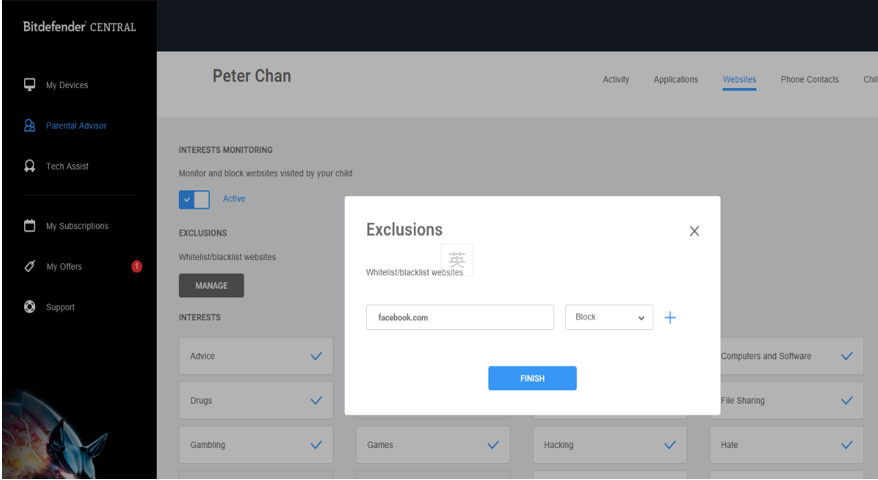
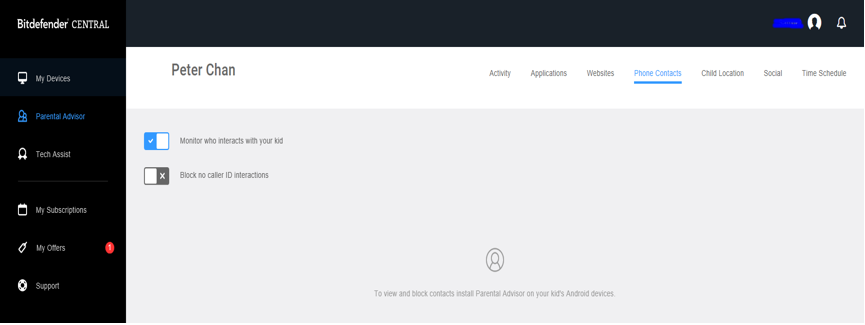
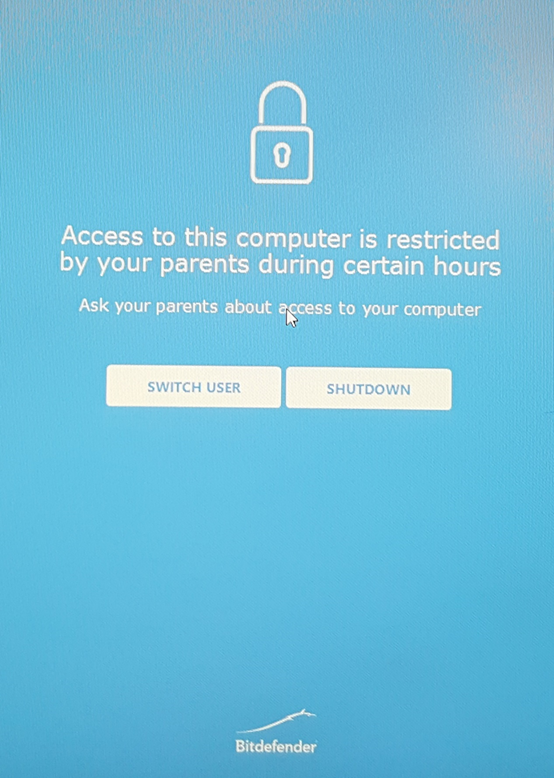
It is important to input the email account to receive alerts and for which alerts being active for the monitoring. Moreover, you can create or modify your own customized control by adding hostname(s) into the blacklist or whitelist.  In the example below, it shows “facebook.com” being blocked. You can also monitor for whom your child is always talking to. Further, you can check your chlid’s current location with the near real-time monitoring. Meanwhile, you can set for when your child is able to access or use the computer and / or surfing the internet. If your child is trying to log on outside the scheduled time, he / she should see the page below by asking the parents for special request or just switch it off as suggested. Conclusion Freedom is important for everyone.  However, it is basic responsibility for parents to protect their children from abuse or day-long usage to affect their children’s health both physically and psychologically.
Read More
Information Security

Protect yourself with the best security package

From 2017, there are lots of incidents of ransomware around the world.  Traditional Firewalls are not able to filter the threads and not every anti-virus software is able to tickle.  There is a client – a local security trading firm with hundreds of workstations provided for investors to use in their office.  Unfortunately, there were 2 machines being inflected and seriously affecting their company images. They have installed an American bland Anti-virus solutions but failed to protect them.  Our consulting team had met them and suggest them to take Bitdefender GravityZone Business Security to protect their workstations and servers.  Moreover, they would like to offload their Anti-virus server in their office.  So, they are deploying the Bitdefender GravityZone security with the cloud service.  It requires only 1 workstation for the update agent.  For the final deployment, there are only 2 workstations being acted as the update agent for the hundred computers. Figure 1. Awards for Bitdefender from Different Organization / Magazine Figure 1. Awards for Bitdefender from Different Organization / Magazine After 2 years, there is no longer any single security protection failure.  It is not only just a single example in Hong Kong.  However, there are 500 million devices in the world using Bitdefender engine including OEM showing the number 1 Anti-virus solution being trusted by a large number of vendors. Not only the basic functions and features are enjoyed by the client.  There are additional features like device management down to hardware device level.  To take an example, the client has applied a particular USB hard-drive (by the unique hardware device ID) could able to connect to their workstations in order to maintenance the highest level protection. To sum up, Bitdefender is not the cheapest Anti-virus solutions but it is the only one to be considered as the primary protection.  Moreover, we are also using Bitdefender with local jewellery, retail chains, large scale Pharmaceutical factory, local security trading firms, insurance corporations, etc.
Read More